Premium TV-first player
IPTuner
Your streaming, finely tuned.
Bring Live TV, Guide, Movies, Shows, recordings, search, and advanced playback control together in one interface built for the television remote.
IPTuner is a media player. It does not provide television channels, subscriptions, or media content.
One television experience
Your television, organized around what you want to watch.
IPTuner brings Live TV, a fast programme Guide, Movies and Shows, unified Search, local recording, timeshift, and detailed playback controls into a single remote-first experience. Your compatible source stays yours; IPTuner focuses on making it easier to browse, find, and watch.
Why IPTuner
Built to make television feel direct again.
IPTuner keeps the experience centered on the TV remote: get to what you want quickly, keep playback close at hand, and surface deeper controls only when you need them.
Remote first
D-pad navigation, predictable Menu and OK actions, context controls, and dedicated TV keys where the hardware exposes them.
One connected experience
Live TV, Guide, Movies, Shows, Search, Recordings, Watchlist, and Continue Watching live in one consistent interface.
Control without clutter
Playback, picture, audio, storage, category, and appearance settings are available without turning everyday viewing into a setup exercise.
One home for television
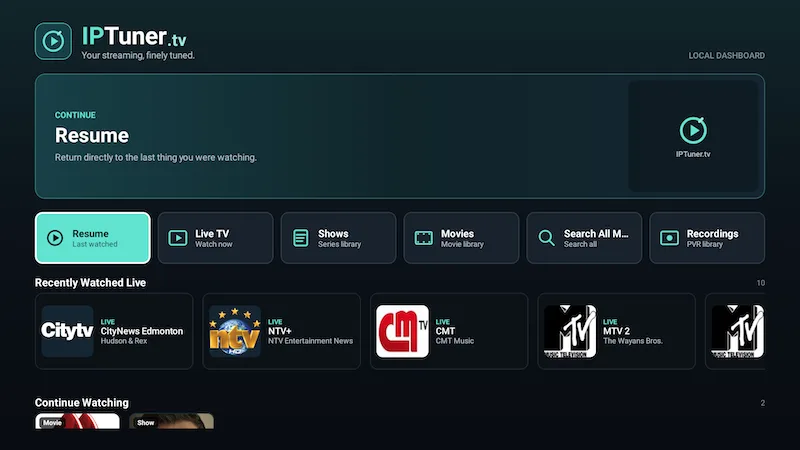
Pick up where you left off.
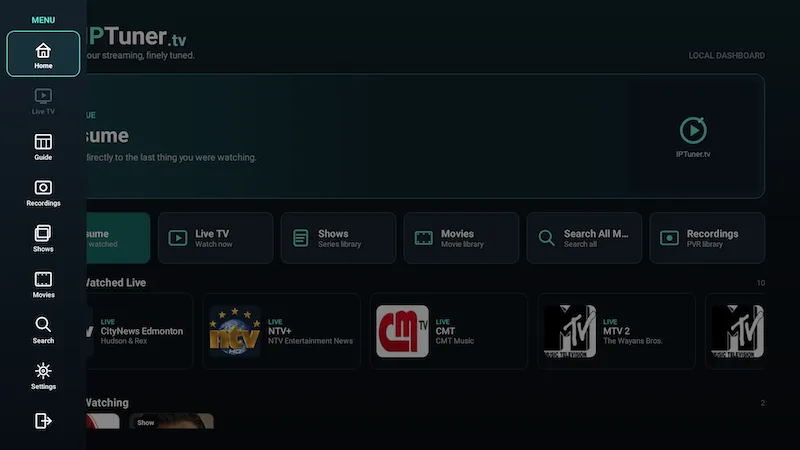
Home keeps the things you are most likely to use close together: recent Live TV, Continue Watching, Watchlist access, Movies, Shows, Search, and Recordings.
- Return to recent viewing without digging through menus.
- Jump directly into the major sections.
- Keep the current playback session intact while browsing supported previews.
Live TV & Guide
Browse what’s on without losing your place.
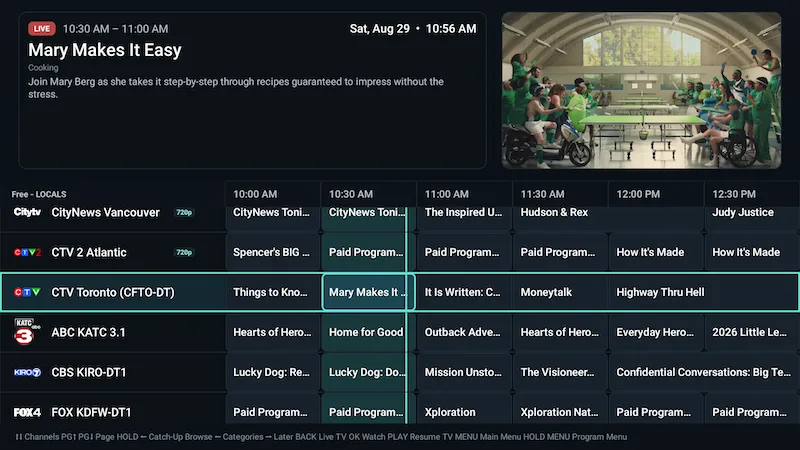
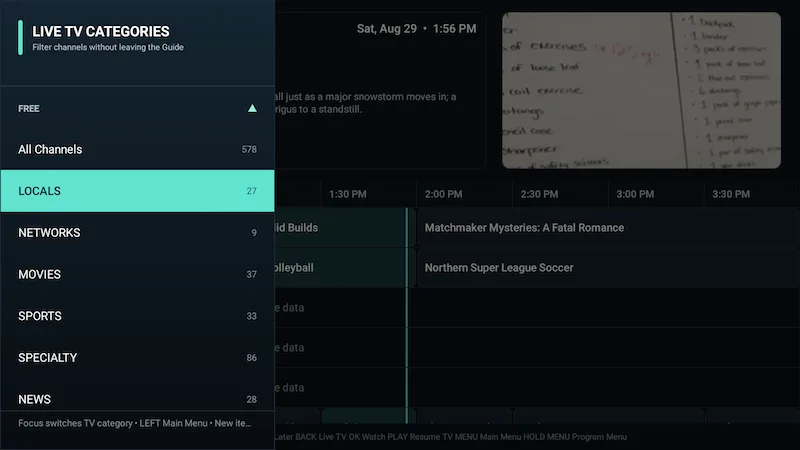
Move through channels, categories, Favorites, recent channel History, current programmes, and retained historical EPG data in a Guide designed for the D-pad.
- Current programme information and quality/status presentation.
- Favorites, category browsing, and recent channel History.
- Recording indicators, reminders, and programme actions where supported.
- Browse retained historical Guide data while keeping the current playback experience intact.
Movies & Shows
Movies and shows that feel at home on the TV.
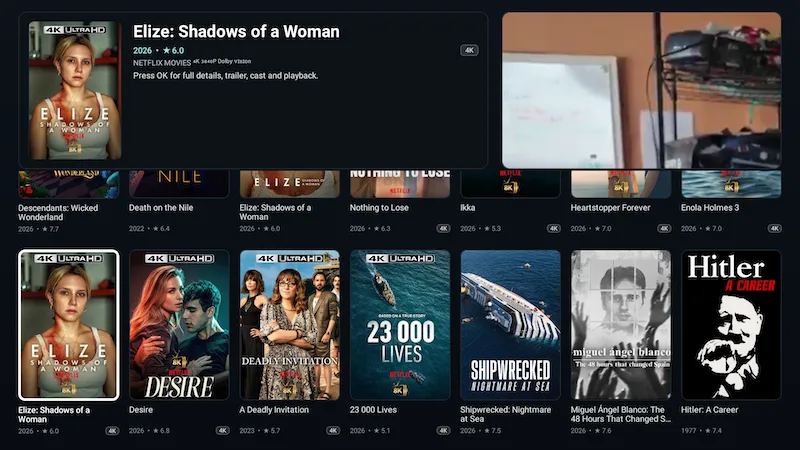
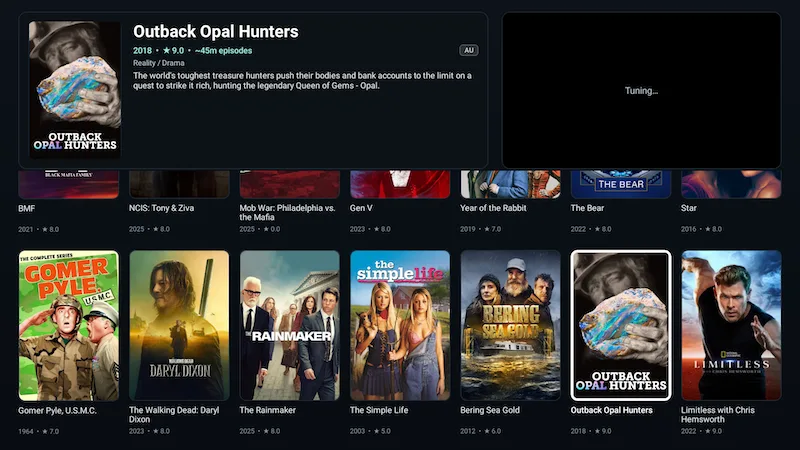
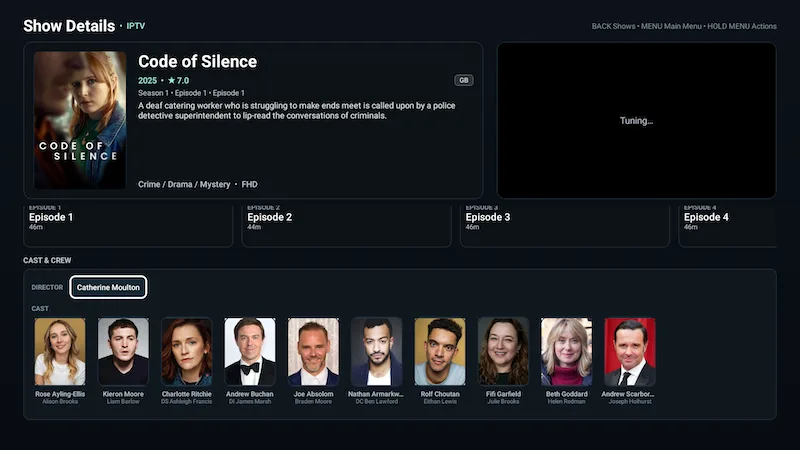
Browse provider Movies and Shows with Continue Watching, Watchlist, details, seasons, episodes, playback progress, resume, and cast/person discovery — without switching to a different interaction model.
Search & discovery
Search across television, movies, and shows.
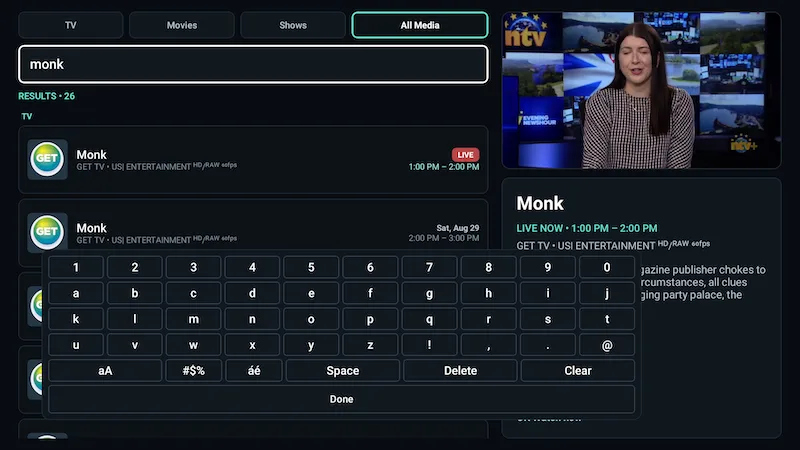
Unified Search works across local EPG and VOD data, with scopes for TV, Movies, Shows, or All Media and person/cast discovery into related titles.
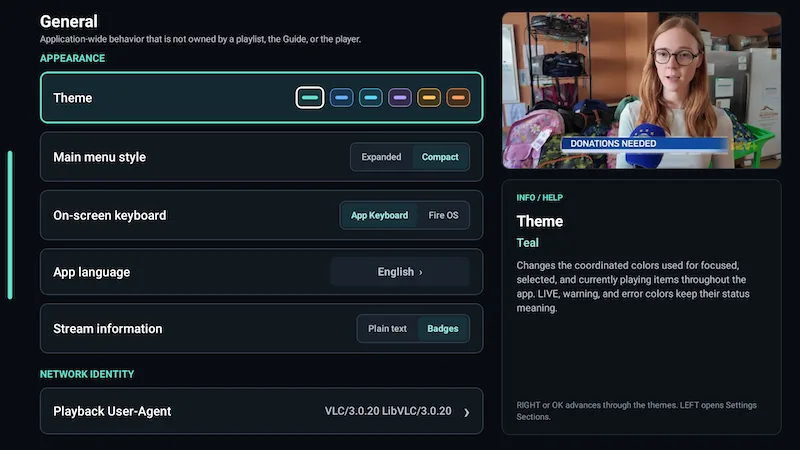
Choose IPTuner’s TV-focused keyboard or the Fire OS/system keyboard in Settings.
Recording, reminders & timeshift
More control over Live TV.
REC
Record now or schedule it
Immediate and scheduled recordings, configurable start/end padding, recording playback, management, and local storage support.
TS
Pause and rewind when available
Timeshift can be Off, On demand, or Always. IPTuner reports honestly when the rolling history for a particular stream is not ready.
USB
Local storage choices
Use app storage or direct USB PVR on Fire TV. Compatible non-Fire Android TV devices can also expose a custom recording folder.
Playback & picture
Playback controls that adapt to your setup.
Tune bandwidth and buffer behavior, frame-rate matching, HDR compatibility, audio output, language preferences, subtitles, aspect ratio, and current-session tracks when your setup calls for it.
- Bandwidth: Automatic, Low, Medium, High.
- Auto frame rate: Off, Seamless only, Always.
- HDR: Automatic, Convert HDR to SDR, Always preserve HDR.
- Audio output: Auto, PCM, Passthrough.
- Aspect ratio: Fit, Fill/Crop, Stretch.
Availability of HDR, passthrough, timeshift and other media capabilities depends on the device, display chain and source.
TV-first navigation
Designed around the buttons already in your hand.
The default remote model keeps common actions predictable while still exposing context actions, favorites, watchlists, and playback controls.
Main Navigation
Context Actions
Select / Playback Controls
Favorite / Watchlist where supported
Screen-first navigation
Clean app exit
Living-room platforms
A consistent experience across supported TV-class Android devices.
The current product targets Fire TV and Android TV-class devices, including Google TV interfaces built on Android TV. Hardware capabilities still determine which advanced media and storage features are available.
Fire TV
A primary validation platform with Fire TV remote behavior, app storage, and direct USB PVR support where the device/storage setup supports it.
Android TV
Remote-first Android TV navigation with platform-aware media, storage and keyboard behavior.
Google TV
Supported as part of the Android TV platform family, subject to the device’s Android version, codecs, display and storage capabilities.
Questions
Straight answers before you install.
Learn what IPTuner is, what you need to use it, which devices it targets, and how playback, recording, timeshift and provider data work.
Your streaming, finely tuned.
Bring your compatible TV source into a player designed for the remote, the Guide, and everyday watching.